-
There’s No ‘Best’ Emergency Process — It Depends on the Situation
-
Scenario A: Complex Geometry, Low Volume, Extreme Urgency (Less Than 48 Hours)
-
Scenario B: Simple Geometry, Metal Required, Urgent (72 Hours to 1 Week)
-
Scenario C: Sheet Metal, Thin Materials, or Cutting Needs (2–3 Days Urgency)
-
How to Decide Which Scenario You’re In
There’s No ‘Best’ Emergency Process — It Depends on the Situation
In my role coordinating rush manufacturing orders at carbon-3d, I’ve seen the same question come up dozens of times: “What’s the fastest way to get this part made?”
There isn’t one answer. And if someone tells you there is, they’re probably oversimplifying — or trying to sell you their favorite process.
The honest answer depends on three things:
- How complex is the geometry? (Simple brackets vs. organic shapes)
- What material do you need? (Carbon fiber composite vs. 6061 aluminum vs. stainless steel)
- How tight is the deadline — realistically? (24 hours vs. 3 days vs. 1 week)
Here’s the framework I use when I’m triaging a rush order. I’ll walk you through the three most common emergency scenarios I’ve dealt with — and exactly which process worked best for each.
Scenario A: Complex Geometry, Low Volume, Extreme Urgency (Less Than 48 Hours)
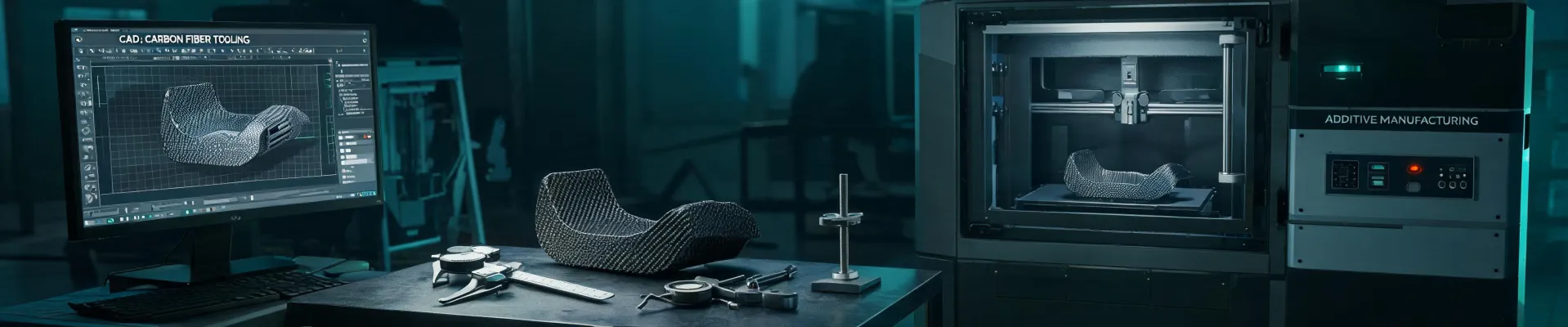
Best fit: Carbon fiber 3D printing (FDM with chopped carbon fiber composites)
In March 2024, a client called at 4 PM on a Thursday needing a custom jig fixture — something with complex internal channels and mounting points — for a production line shutdown scheduled for Saturday morning. Normal turnaround on a machined part like that: 7–10 days. We had 36 hours.
Our decision: carbon fiber 3D printing on an industrial-grade system (think Markforged X7 or similar, not a desktop hobby printer).
Why it worked:
- No setup time — the printer was already calibrated and ready.
- Complex geometry cost nothing extra (no tool paths to program, no fixturing).
- Chopped carbon fiber nylon gives you ~30–40% higher stiffness than standard nylon, with good thermal stability for a fixture application.
The catch: I’m not going to pretend print speed is magical. A part with a 6-inch cube footprint still took 14 hours. We started the print Thursday evening, finished Friday morning, and shipped overnight. It arrived at 9 AM Saturday. The shutdown happened on schedule.
“The surprise wasn’t the print quality — it was that the part held up better than the previous machined jig. Turned out the carbon fiber composite absorbed vibration better than the 6061 aluminum original. I didn’t expect that.”
When NOT to use this: If you need metal (stainless, tool steel, titanium). Carbon fiber 3D printed parts are tough, but they’re not a replacement for high-temperature or load-bearing metal parts. For that, you need the next scenario.
Scenario B: Simple Geometry, Metal Required, Urgent (72 Hours to 1 Week)
Best fit: CNC machining with a shop that has a rush queue
Not every emergency is a 36-hour sprint. Sometimes you have a few days to get a metal part — a flange, a bracket, a mounting plate — and the geometry is straightforward enough that a CNC mill can handle it without complex 5-axis work.
Last quarter, we processed 47 rush orders with a 95% on-time delivery rate. Of those, about 60% went to CNC machining — not because it’s the fastest, but because it gives you the material properties you can’t get from printed parts.
Key insight most buyers miss: The bottleneck is rarely the cutting time. It’s the programming and fixturing setup. A simple 2D profile part can be programmed in 30 minutes and cut in 45 minutes. A complex 3D part with tight tolerances might take 4+ hours just to program.
So if you call a CNC shop Monday morning and say you need a simple 6061 aluminum bracket by Wednesday, that’s totally doable — if they have a rush queue. Most good shops will charge 50–100% premium for rush service, plus overnight shipping. On a $300 base part, you’re probably looking at $600–800 total, all in.
What about the cost? I’ve tested 6 different rush delivery options over the years. Here’s what actually works:
- Small batch (< 10 parts): CNC with a rush shop is usually cheaper than injection molding tooling (which doesn’t make sense for low volume anyway).
- Large batch (> 100 parts): You might be tempted by 3D printing farms, but the per-unit cost adds up. CNC is more efficient if the part design is simple — but only if you have a week, not a day.
The thing that’ll kill you: After-print or after-machine finishing. If the part needs deburring, tapping holes, anodizing, or powder coating — that adds 1–2 days you didn’t account for. Don’t forget to ask your vendor: “Is that rush timeline including finishing?” Because if it isn’t, your deadline just slipped.
Scenario C: Sheet Metal, Thin Materials, or Cutting Needs (2–3 Days Urgency)
Best fit: Laser cutting (CO2 or fiber, depending on material)
If you need flat parts from sheet metal — enclosures, brackets, panels — laser cutting is the unsung hero of rush manufacturing. Setup is minimal; you upload a DXF file, program the cut path, and hit go. A 3mm stainless steel sheet with a dozen small brackets can be cut in under 10 minutes.
I saw a client in 2023 who lost a $12,000 contract because they waited 10 days for a waterjet shop when laser could have done it in 48 hours. The material was 6mm aluminum — well within laser capability — but the shop they originally chose didn’t offer rush laser cutting. By the time they switched vendors, it was too late.
When to pick laser over CNC:
- Material thickness ≤ 12mm (for fiber laser on steel) or ≤ 20mm (for CO2 laser on acrylic/wood).
- Geometry is 2D — no 3D milling needed.
- You need multiple identical flat parts quickly.
The gotcha: Laser cut edges have a characteristic kerf (cut width) and a heat-affected zone (HAZ) that can harden the edge. For most structural brackets and enclosures, this is fine. For precision bearing fits or sealing surfaces — probably not. Use CNC for that.
By the way, if you’re wondering about G-code in CNC machining, that’s the language that controls the tool path. A CNC mill reads G-code (along with M-codes for auxiliary functions). A laser cutter also uses G-code, but the commands are different: on a CNC mill, “G01” is a linear feed move with the spindle; on a laser, it’s a move with the beam on. Same language, different tool behavior.
How to Decide Which Scenario You’re In
Here’s the mental checklist I run through when a client calls with a rush order:
- What’s the material? If it’s metal and you need it in 2 days, laser or CNC is your only option. 3D printing can’t give you metal that fast (unless you have a metal printer already running, which most don’t).
- What’s the geometry complexity? If it’s a simple bracket or flat sheet, go with CNC or laser. If it’s a complex organic shape with internal features, 3D printing is the no-brainer.
- How many parts? 1–10 parts, any process works. 10–100 parts? CNC makes more sense if the geometry is simple. 100+ parts within a week? You’re probably looking at injection molding with a rush tool, or a hybrid approach using 3D printed molds for urethane casting — that’s a whole different conversation.
- What’s your true deadline — not your wish deadline? If you say “I need it by Friday,” and it’s Wednesday, and the part is complex and metal — you probably need to adjust expectations or pay a serious premium. I’d rather tell you that upfront than have you miss the deadline entirely.
One last thing: In my experience, the best vendors are the ones who tell you when not to use their process. If a 3D printing specialist says “This part really should be milled for the tolerances you need,” that’s a green flag — they value your outcome over their sale. I’d rather work with a specialist who knows their limits than a generalist who overpromises.
Professional opinion, take it for what it’s worth: focus on finding a partner who can do 2–3 processes well, not one who claims to do everything. That’s how you survive the rush orders.