-
You need it fast. Let's cut the fluff.
-
1. Is 'Rush' really possible for my part?
-
2. What's the first thing I should do if I'm already behind schedule?
-
3. Is it always more expensive to go fast?
-
4. What if my design has a mistake? Can we fix it in a rush?
-
5. How do I choose between 3D printing and CNC for a fast part?
-
6. What about material certification? Can I skip that for a rush?
-
7. Can I just send a picture of the part I need?
-
1. Is 'Rush' really possible for my part?
You need it fast. Let's cut the fluff.
As a manufacturing coordinator at a custom parts company, I've handled over 200 rush orders in the last four years. That includes same-day turnarounds for clients whose machines were down, and 48-hour reprints for prototypes that needed to be at a trade show. I've also made the mistakes that cost us time and money.
When you're on a tight deadline, you don't need a sales pitch. You need answers. Here are the questions that come up most often when someone needs parts fast. Based on what I've actually seen work and fail.
1. Is 'Rush' really possible for my part?
Yes, but not for everything.
The first thing I do when a client asks for an emergency turnaround is check feasibility. The question isn't just can we do it? It's can we do it without sacrificing quality or safety?
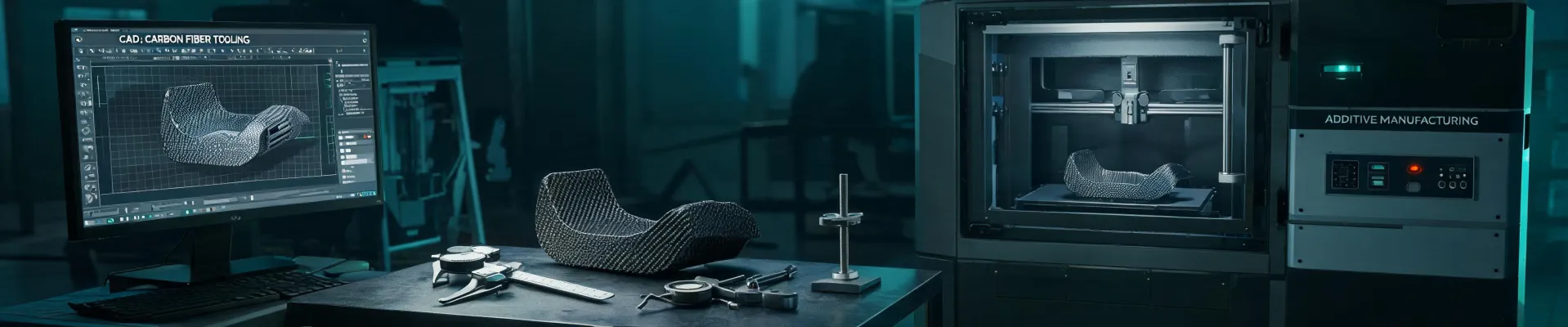
For example, a simple CNC-machined bracket from aluminum? Usually yes, especially if the design is proven. A complex, five-axis CNC part with tight tolerances (+/- 0.001 inch) and exotic materials? That's harder. The setup time alone might take hours. I've seen us turn around a simple carbon fiber 3D printed prototype in 24 hours, but a multi-process job involving CNC and laser welding? That takes planning.
The honest answer: call us. We'll tell you if your specific part is a candidate for a rush. We've become pretty good at spotting the impossible ones within the first three minutes of a conversation.
2. What's the first thing I should do if I'm already behind schedule?
Stop. Send us the file.
Don't spend two hours writing a detailed email explaining the history of the project. The most time-efficient thing you can do is upload your CAD file (STL, STEP, or even just a PDF with dimensions) and a clear deadline. We can assess the manufacturability while you write the backstory.
I can't tell you how many times a client has lost an hour explaining their situation before even sending the file. In the rush order world, that hour is gold. We've built our internal triage system around that simple idea: file first, story second.
3. Is it always more expensive to go fast?
Usually, but not always. The real cost is in uncertainty.
This is where I've learned the hard way. A few years ago, we lost a $12,000 contract because we tried to save $200 on a standard 5-day service instead of paying a premium for a guaranteed 48-hour delivery. The 'standard' delivery got delayed on the loading dock, and our client's customer had to cancel their launch event. The $200 we saved cost us a client relationship.
'The most expensive order is the one that shows up late.'
Yes, rush fees are real. A 50-100% premium isn't unusual for a true emergency. But the total cost of ownership includes the risk of not having the part. For a production line that's down, the cost of a few extra hours of downtime can be thousands of dollars. Paying $400 for a rush reorder to save a $5,000 line stoppage is a no-brainer.
4. What if my design has a mistake? Can we fix it in a rush?
Yes, but we need to know immediately.
This happened in March 2024. A client called at 4 PM needing a batch of CNC-machined knife blades for a trade show the next morning. They'd already approved the file, but when the first part came off the machine, it had a critical error in the edge geometry (the bevel angle was wrong).
Instead of scrapping the whole order, we paused the run, had their engineer and our machinist on a quick video call, and revised the CAM program in 40 minutes. We re-started the job, paid for an overnight courier, and the parts arrived at their booth at 9 AM. The alternative was a blank table at the show. That cost them an extra $800 in rush courier fees, but it saved the entire $9,000 project.
The key here is don't hide the mistake. The biggest waste of time in a rush is a client trying to 'fix it later' or sending a revision that isn't clearly marked. Just tell us what's wrong. We'd rather fix it now than after everything breaks.
5. How do I choose between 3D printing and CNC for a fast part?
Depends on the geometry and material.
Most buyers focus on speed, but they completely miss the lead time for setup. CNC machining requires fixturing and CAM programming, which can take a day. 3D printing, especially with carbon fiber resin or FDM, can start in minutes after file approval. For a complex internal channel or a lattice structure? 3D printing wins. For a flat, strong bracket that needs tight tolerances? CNC is better, even if the setup takes slightly longer.
The question everyone asks is 'which is faster?'. The question they should ask is 'which has the fastest time-to-first-good-part?'. For many prototypes, 3D printing is the answer. For production runs where you need consistent quality across 50+ units, CNC with a proper setup is usually more reliable.
6. What about material certification? Can I skip that for a rush?
Absolutely not. I've seen this backfire.
I learned this lesson in my first year. We were sourcing some 304 stainless steel for a rush CNC job. The standard mill certification takes 24 hours to get. To save time, we used a 'similar' material from a local supplier who offered same-day delivery, but without a cert. The part passed machining, but it failed a critical corrosion test in the field. The rework cost us three times the original price. Never again.
For any part where safety or performance is critical (which is most of the industrial stuff we do), the material cert is non-negotiable. It's not just a checkbox; it's a legal requirement. We now have a standard policy for all rush orders: we check the material cert before we start cutting, not after. That adds 30 minutes to the pre-production check, but it's saved us from a $15,000 redo at least once.
7. Can I just send a picture of the part I need?
It's a start, but you'll get a better outcome if you can send dimensions.
A picture is great for telling us what the part looks like, but it doesn't tell us the thickness, the tolerances, the thread size, or the surface finish. The more specific you are, the less back-and-forth we need. A sketch with a couple of key dimensions is worth a thousand words.
I've had clients send a photograph of a broken part lying on a ruler. We could guess the length, but not the hole depth or the internal geometry. We spent three emails trying to clarify. If they'd just sent the original CAD file (or even a PDF of the drawing), we could have started quoting in minutes. Speed in manufacturing is often about the quality of the information you provide upfront.
One last thing: if you're completely new to custom manufacturing (and hey, we all start somewhere), don't be afraid to ask the 'stupid' questions. I'd much rather spend 10 minutes explaining the difference between carbon fiber 3D printing and carbon fiber CNC machining than spend two hours on a part that was designed for the wrong process. An informed customer is always a faster customer in the long run.