
-
Bambu Lab X1-Carbon Combo 3D printer product info: specifications vs. reality
-
The Bambu Lab X1-Carbon Combo 3D printer price buys a tool, not a process
-
Are 3D printers wireless? Usually yes, but that's the easier problem
-
The MOPA 60W fiber laser connection: traceability after the print
-
The DOOM 3D printing lesson: cool geometry is not a quality argument
-
Where this advice breaks down
If you're comparing the Bambu Lab X1-Carbon Combo 3D printer price with the cost of ordering parts from an industrial manufacturing service like carbon-3d, you might be asking the wrong question. The real question isn't which option is cheaper. It's whether the part in front of you is still an idea or already a specification. That distinction determines almost every quality decision I make.
Here's my conclusion up front: buy the Bambu Lab X1-Carbon Combo for iteration; outsource for production. Use it for design experiments, low-stakes prototypes, and shop fixtures. Send parts to a qualified manufacturing service when they have to meet a tolerance, survive a load, carry documentation, or be reproduced exactly. Most engineering teams end up doing both. What hurts is assuming a desktop printer can replace a manufacturing partner.
I'm the quality and brand compliance manager at carbon-3d, an advanced manufacturing service specializing in industrial carbon fiber 3D printing, CNC machining, laser cutting and welding, and injection molding. I review every deliverable before it reaches customers—roughly 200 unique jobs a year. I also get asked to look at parts people printed on desktop machines before they commit to production. That gives me a practical view of where these tools genuinely help and where they quietly create risk.
A desktop printer can make impressive parts. It can also make consistent-looking parts that hide material limits, orientation problems, or calibration drift. Both results can come from the same machine; the difference isn't the hardware alone.
Bambu Lab X1-Carbon Combo 3D printer product info: specifications vs. reality
When someone looks up Bambu Lab X1-Carbon Combo 3D printer product info, they usually want a spec list. The useful summary is: enclosed CoreXY frame, 256 x 256 x 256 mm build volume, high-temperature all-metal hotend, and the Combo version includes the AMS unit for multiple spools. Bambu Lab's official site listed the combo at $1,449 as of January 2025. It can run common materials plus carbon-fiber reinforced filaments and high-temperature options. I'm not going to recite bed temperatures and acceleration values here because that's not where production decisions fail.
Product info tells you what a machine can accept. It doesn't tell you what your yield rate will be, how much maintenance the machine will need, or whether the part you print this month will match the part you printed last month. Part quality comes from the larger process: dry materials, verified profiles, controlled bed conditions, and inspection. A desktop printer doesn't create that process by itself.
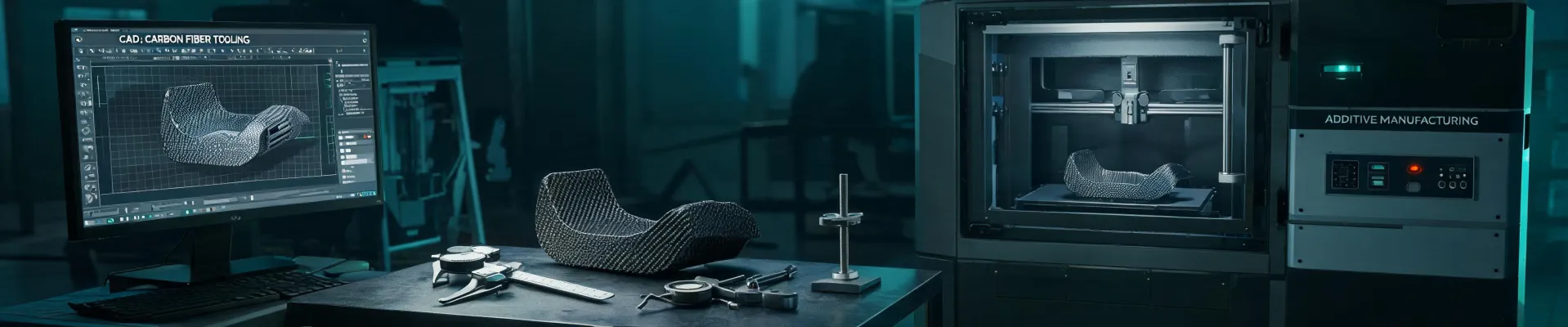
There's also a naming problem. The word carbon in X1-Carbon is not the same as what we do at carbon-3d. A desktop machine printing carbon-fiber reinforced filament uses chopped fibers mixed into a polymer. Those fibers add stiffness and dimensional stability, but they are not continuous carbon fiber reinforcement and they shouldn't be treated as the same material class. Both approaches are useful. Confusing them is a classic save-money-on-the-front-end, spend-more-later mistake.
Honestly, I'm not sure why two spools with the same material label can behave so differently. My best guess is that fiber content, moisture, and feedstock consistency vary more than the datasheets suggest. That's exactly why material verification matters once a part leaves the prototype stage.
The Bambu Lab X1-Carbon Combo 3D printer price buys a tool, not a process
People often compare the Bambu Lab X1-Carbon Combo 3D printer price directly with the price of a single outsourced job. That math misses the actual cost of operating a printer. The real formula is: purchase price plus materials plus failed prints plus maintenance plus operator time plus post-processing, divided by the number of good parts you actually accept.
For a team running dozens of design iterations per month, a $1,449 machine can pay for itself quickly. For a team with one project every couple of months, the same printer can become an expensive shelf decoration. The desktop route only makes sense when you can close the loop on your own: slice it, print it, inspect it, revise it, and repeat without burning too much engineering time.
Deadline certainty is another part of the cost. I remember one March 2024 situation where we needed parts for a $15,000 client event and the normal lead time was too long. Paying roughly $400 extra for rush delivery felt painful at the time, but it bought certainty. After getting burned by probably-on-time promises before, I now think of that kind of premium as insurance, not waste.
That's not an argument against owning a desktop printer. It's an argument for knowing what the machine can and can't guarantee. A printer sitting next to your desk gives you speed and control. It does not automatically give you repeatability, traceability, or material certification.
Are 3D printers wireless? Usually yes, but that's the easier problem
So are 3D printers wireless? Most modern machines, including the Bambu Lab X1-Carbon, are. You can send a file from your desk, watch the first layer through a camera, and check progress from your phone. For prototypes, that convenience is great.
The quality concern with wireless printing is less about the wireless itself and more about what isn't documented. When you send a file over Wi-Fi, you usually don't get a verifiable record of file version, slicer settings, material lot, or start time. If the part works, nobody cares. If it fails in the field, you have no data trail to explain why.
In our production facility, the machines that make customer parts are on a wired network. That choice isn't because wireless is bad; it's because we want fewer variables in the process record. For a lab prototype, Wi-Fi is fine. Once you start making parts that will be shipped, installed, or load-bearing, you want more than convenience. You want an audit trail.
The MOPA 60W fiber laser connection: traceability after the print
Another term that keeps appearing in searches is MOPA 60W fiber laser. It's relevant because teams that start printing their own parts soon realize they also need permanent identification: serial numbers, date codes, part numbers, or QR codes.
A MOPA 60W fiber laser is a common choice for this work. Unlike a CO2 laser, a fiber laser can mark metals, and the MOPA design gives you pulse control that helps with clean dark marks on aluminum and other materials. That makes it useful for traceability marking after a part is printed or machined.
From a quality manager's perspective, though, a laser marker is only one piece of the system. The mark itself doesn't prove the part meets spec. What matters is what the mark connects to: material lots, inspection records, machine settings, and the person who approved the part. If you have those records, you can mark parts on a $500 engraver or a $10,000 fiber laser; the system is what protects you.
This is also why integrated manufacturing can be valuable. At carbon-3d, a single order can cover 3D printing, CNC work, post-processing, laser marking, and inspection under one controlled workflow. That doesn't make desktop machines inferior. It just means the quality system has to live somewhere.
The DOOM 3D printing lesson: cool geometry is not a quality argument
Search for doom 3D printing and you'll find lots of videos of people printing DOOM helmets, armor, and creatures. That content is fun and it does show how capable desktop printing has become. But as someone who approves production parts, I see a different lesson in it.
A decorative print only has to look right. If a helmet's surface is rough on one side, nobody rejects it. If a small warped section appears near the bottom, you might call it character. Engineering parts don't get that flexibility. A tiny crack, a weak layer bond, or an incorrect material lot can make the whole component unsafe.
I've watched engineers fall in love with a beautiful prototype and then assume the same process will work for a production run. The assumption failure isn't about the printer; it's about treating geometry as proof of performance. Learned never to assume that. A great-looking part and a correctly manufactured part are not the same thing until the test data says so.
Where this advice breaks down
The answer I gave at the top works when a team can actually operate and maintain a desktop printer. If you don't have someone who understands slicing profiles, filament moisture, bed preparation, and basic troubleshooting, then buying an X1-Carbon Combo is a bad idea even for prototypes. You'll get better results from a quick-turn service.
It also breaks down if your prototype is meant to answer a material-performance question. A desktop printer can help you validate size, fit, and assembly. It's not the right tool for validating long-term mechanical behavior if you're using a different material or process than the final production method.
For low-risk internal fixtures, print them on a desktop machine and move on. For end-use parts, production quantities, or anything that could cause injury or downtime if it fails, work with a shop that can give you material traceability and documented inspection. The printer is a great addition to your workflow. It just isn't the whole quality department.