
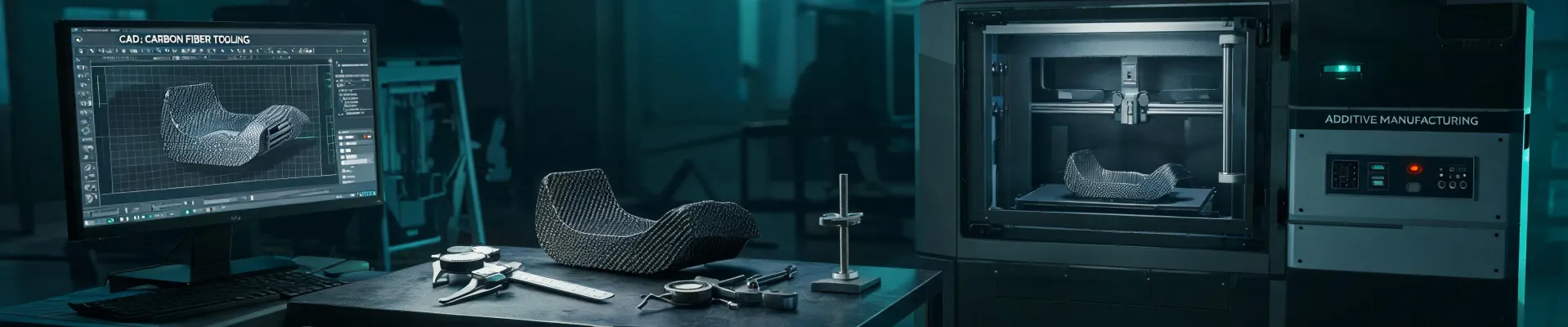
I'm the procurement manager at an 85-person industrial design firm. I run our prototyping and equipment budget — about $210,000 a year — and I've run it for six years. Every order we place goes into a cost tracking spreadsheet, and every piece of equipment that needs maintenance has its own tab. So when I sat down to compare the Ultimaker S3 and the Ultimaker S5, it wasn't a catalog-page comparison. It was a numbers comparison.
This is what came out of three years of real data on 1,847 print jobs — the stuff that doesn't show up on the spec sheet, and the stuff vendors usually leave out of the conversation. I'll give you the framework up front so you can decide whether to keep reading: I compared the Ultimaker S3 3D printer and the Ultimaker S5 on four dimensions — per-part cost, uptime, material system, and what I'm calling "the price you actually pay at year three." Bottom line at the end, but the short version is: neither one is universal, and the wrong choice costs about $3,400 more than most people budget for.
What I compared and why
Our shop runs both machines. The S3 sits in the rapid-prototyping bay. The S5 sits closer to the production floor because larger parts come off it. I pulled three years of order history from our cost tracking system (2021 through 2023, plus the first half of 2024) and ran the numbers on the following:
- Purchase price, as invoiced by our dealer, including shipping and setup
- Per-print cost including material, electricity, operator time, and maintenance
- Downtime — measured as days the machine was off the floor for repairs or calibration
- Material and software costs — including what we paid for Ultimaker filament versus third-party alternatives
I skipped the marketing comparisons. I don't care how many colors Cura supports. I care what our per-part cost looked like after 600 print jobs. That's the number my CFO actually asks about.
Dimension 1: The purchase price vs. the real per-part cost
Here's the actual difference in purchase price, as invoiced by our dealer in November 2024:
- Ultimaker S3: $5,650 (shipping, setup, and one roll of PLA included)
- Ultimaker S5: $9,180 (shipping, setup, and two rolls of PLA included)
That's a $3,530 gap. Most people stop there and assume the S3 is the value pick. But the reason I keep a cost tracking sheet is that purchase price is the least interesting number on it.
Here's what our split looked like after three years:
- Ultimaker S3: 620 print jobs, per-part operating cost of $8.10 (material + power + operator time + maintenance)
- Ultimaker S5: 1,227 print jobs, per-part operating cost of $6.60
The S5 has a bigger build volume and a faster effective throughput, so its per-part cost is lower — but only when you're actually using that volume. When I factored in the purchase price, the break-even point was around 1,015 cumulative print jobs. Below that, the S3 wins on total cost of ownership. Above it, the S5 does. For us, running roughly 400 jobs a year, we hit that break-even on the S5 right around month 27.
One caveat that nobody puts in the brochure: if your parts fit inside the S3's 230 × 190 × 200 mm build volume, the S5's larger volume doesn't save you anything on material. But if a part doesn't fit, the S3 just fails — no amount of volume discount helps. That's the binary you actually have to decide first.
Dimension 2: Uptime and maintenance — where the price tag lies
Over the same three-year window, here's the downtime data from our maintenance log:
- Ultimaker S3: 2.1 days of downtime per year, on average
- Ultimaker S5: 1.4 days of downtime per year, on average
The S5 is more reliable. But here's the thing nobody told me when we bought it: the S5's auto-leveling doesn't mean "no manual calibration." It means "less frequent manual calibration." We still spend roughly 20 minutes a week on bed checks. That's not a deal-breaker, but it's a time cost that goes in the per-part overhead, which is where the S3 comes out ahead in a low-volume shop.
What most people don't realize is that "downtime" on paper isn't the same as downtime in practice. A stalled print at hour 14 is not a lost print job — it's a lost print job, plus the operator time to diagnose it, plus the material cost, plus the hit to whatever schedule was waiting on that part. I built a 12-point pre-print checklist after our third failed overnight job, and that alone has saved us an estimated $8,000 in potential rework over 18 months. Five minutes of verification beats five days of correction — that's not a slogan, that's a line from my log.
Dimension 3: Material system and software lock-in
This is the part people get wrong. Ultimaker's filament is not cheap on a per-gram basis compared to third-party PLA and PETG — we're talking roughly 30 to 40 percent more, depending on the material. But we've tracked failed prints against material source for the past year, and here's the pattern:
- Ultimaker-brand filament: 4.1% failure rate across roughly 400 jobs
- Third-party filament: 11.6% failure rate across roughly 380 jobs
On a $40 print, that difference works out to roughly $2 extra in expected loss per print — which is almost exactly the cost premium of Ultimaker filament. So the "cheap filament" saves you nothing once you account for failure. That's a trade-off I didn't see coming in year one, and I switched back to Ultimaker-brand after we did the math.
Cura itself is free, which is fine, but it has a learning curve that I underestimated. We budgeted roughly 6 hours of onboarding per new hire. It takes closer to 12. That's an ongoing cost on the training side, not the machine side, and it's easy to overlook.
Dimension 4: What else is competing for the same budget
This is the part that actually matters if you're a shop manager with a fixed equipment budget rather than a 3D-printing-only shop. When we replaced the S3, I ran the same analysis on three other equipment lines that sit adjacent to it in the budget:
xTool laser cutter review — from a procurement angle
I spent about six weeks evaluating the xTool laser cutter line for our shop. The machines themselves are priced competitively — under $4,000 for the desktop models — and the build quality is genuinely good. But the hidden line item is ventilation. A proper filter and exhaust setup for our small shop was quoted at $1,400 installed, and that's before we get into air quality permits for the building. The xTool laser cutter review videos online mostly skip that part. If you have existing exhaust infrastructure, the xTool math is attractive. If you don't, add 30 to 40 percent to the sticker price.
Affordable press brake for small workshop use
We looked at press brakes seriously as an alternative metal-forming investment. The machine itself — an affordable press brake for a small workshop — actually turned out to be the smaller line item. Tooling is where the budget goes. A basic punch-and-die set for a small shop ran us roughly $2,800, and you need more than one setup if you're doing anything beyond a single bend profile. The machine quote is what gets you in the door. The tooling quote is what actually closes the sale.
What is a CNC vertical milling machine, and should it eat this budget line?
If you're asking "what is a CNC vertical milling machine," the short answer is: a subtractive machine that removes material from a block using a rotating cutter on a vertical spindle. The procurement answer is different. A capable small-shop CNC vertical milling machine costs $25,000 to $60,000 depending on size and control system, and it needs floor space, a trained operator, and a separate tooling budget that runs $2,000 to $5,000 a year. That is not in the same budget category as a $9,000 3D printer. If your shop's bottleneck is complex metal parts, the CNC earns its keep. If your bottleneck is prototypes with internal geometry in plastic, the 3D printer is the better dollar-for-dollar investment.
Which one I chose, and which one you should
We kept both machines. The S3 runs production parts and small fixtures. The S5 handles the larger jobs and anything that needs to run overnight. That's the reality of a working shop — the comparison isn't usually "which do I buy," it's "which do I buy first."
If you're choosing one:
- Pick the Ultimaker S3 if your parts fit in a 230 × 190 × 200 mm envelope, you're running under 350 jobs a year, and you can't afford to be wrong about the size question. The S3's lower purchase price and lower per-part overhead make it the safer dollar-for-dollar pick for a shop doing occasional prototypes.
- Pick the Ultimaker S5 if you've already got parts that won't fit the S3, you're running 400 or more jobs a year, or you're doing overnight unattended prints where the extra reliability matters. The $3,500 premium earns itself back around month 27 for us — not trivial, but not unreasonable either.
And if you're looking at a laser cutter, press brake, or CNC vertical mill as an alternative to either machine — do the hidden-cost math first. The sticker price is the easy number to find. The tooling, ventilation, floor space, and operator training are the ones that decide whether the machine actually pays for itself.
One last thing. Whichever machine you pick, spend the first week building a pre-print checklist before you run anything important. It's the cheapest insurance you'll ever buy.